
Bulin 47 AI Audio Guide: Original Sound, Lyrics and Lip Sync
Bulin 47 AI Team · Last updated:
On this page
Choose Bulin 47 in the studio for the built-in freestyle reference and its audio. Choose Havana corner or Christmas street to generate a new performance from your own lyrics. These modes use different audio inputs, and neither promises perfect lip sync in every frame.
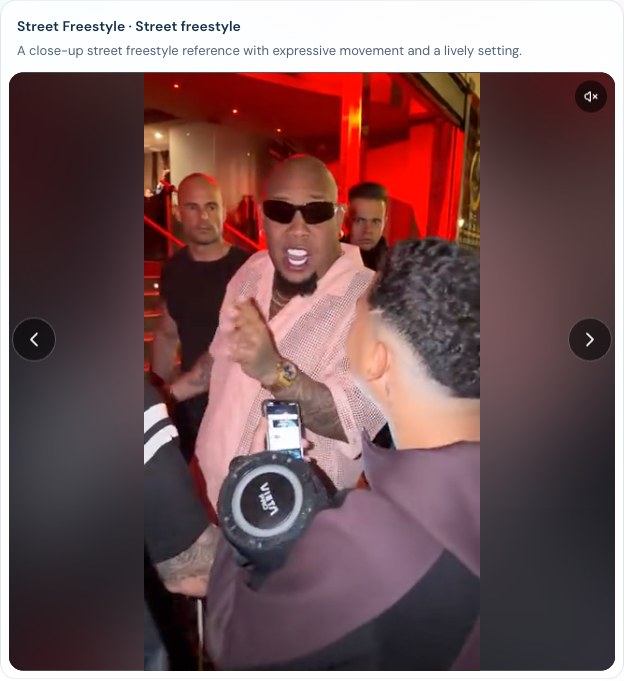
The reference player illustrates the interface, not a newly generated result or an audio-quality test.
Does Bulin 47 AI keep the original sound?
Original mode uses the built-in reference performance and audio. You do not need to find or upload the original clip. Your photo defines the replacement subject; it does not supply a voice recording.
Changing the video length selects a supported reference length. It does not provide a way to rewrite the original verse. If you want different words, switch to a custom scene before generating.
The reference is a guide to the intended result. Watch the finished video and listen to its actual audio before sharing it. An available audio track does not guarantee that every mouth movement matches it.
How do custom lyrics work?
Select Havana corner or Christmas street, then enter the words you want performed. Custom scenes ask AI to generate rap vocals, a backing beat and lip movement, along with new motion in the selected setting.
The lyrics field accepts up to 300 characters. The model is instructed to start at the beginning, keep the language of your text and omit whole trailing lines that do not fit the selected duration. Actual wording, pronunciation and timing can still vary.
For a first attempt:
- Write one short verse that fits the occasion.
- Put the essential message at the beginning.
- Choose the duration, then review the credit quote before submitting.
- Compare the completed vocals with your text from beginning to end.
For example, a birthday verse should begin with the greeting and the person's name. A long introduction can leave too little time for the message you care about. Increasing duration changes the quote and still cannot guarantee word-for-word delivery.
See the one-photo tutorial for the complete studio workflow.
Can I choose music, upload audio or clone a voice?
The current studio has no separate audio-upload, music-selection or voice-cloning controls. A portrait does not clone the subject's voice. Text entered in the lyrics field guides a generated performance; it is not a recording of the person in your photo.
If you add or replace music after downloading, use an editor and audio you have permission to use. Changing the soundtrack alone does not make the generated mouth movements match the new words.
What should I check before posting?
Play the whole completed video with sound, then play the downloaded file on your device. Check these parts separately:
- Audio: can you hear the expected track or generated vocals?
- Words: are names, pronunciation and the important lines understandable?
- Lip sync: do the visible mouth movements follow the vocals closely enough for your use?
- Ending: does the clip finish at a useful point, or is the message cut short?
Higher resolution changes picture detail; it does not guarantee better lyrics, pronunciation or lip sync. If you want another version, review the settings and cost first. A new generation is a separate task that uses credits.
What if the video is silent or the words sound wrong?
First check the player's mute control and your device volume. Try the saved file to distinguish a playback issue from the generated audio. If the downloaded file is also silent or cannot play, contact support with the task ID and a description of what happened.
For missing words or poor pronunciation, check the selected mode and shorten the verse before deciding to generate again. Original mode will not perform replacement lyrics. In a custom scene, generated vocals may differ from the text even when generation succeeds.
A confirmed failed task returns its reserved credits. A completed video you dislike is not automatically a failed task, and credit returns are separate from cash refunds. See the troubleshooting guide and Refund Policy for the next step.
Does the soundtrack come with permission to publish it?
Using reference audio in a generation does not grant music rights. Before posting or commercial use, check the permissions for the photo, the person depicted and the soundtrack. Follow the download and sharing checklist.
Ready to choose a mode? Open the Bulin 47 AI studio or check current pricing first.