
Best Photo for a Bulin 47 AI Video: Requirements and Tips
Bulin 47 AI Team · Last updated:
On this page
Use a sharp, evenly lit portrait with one main subject and an unobstructed face. A recent selfie or upper-body photo is a useful starting point for a Bulin 47 AI video. Keep the original file so you can adjust the crop without repeatedly compressing it.
The practical test is simple: open the photo at normal viewing size. Can you see both eyes, the shape of the mouth and the edges of the face? If those details are already blurred or covered, choose another photo before spending credits.
What are the Bulin 47 AI photo requirements?
The studio accepts one JPG, PNG or WebP photo up to 10 MB. Each side must be greater than 300 pixels and smaller than 6,000 pixels, with no more than 32 million pixels in total. Very narrow panoramas are rejected: the width-to-height ratio must be greater than 0.4 and less than 2.5.
- Use a still image, rather than an animated image or a screenshot of a video player.
- Convert a HEIC phone photo to JPG or PNG before selecting it.
- Keep one main subject in the image. Do not ask the generator to choose between faces in a group shot.
- Make sure you have permission to use the image and depict the person or character.
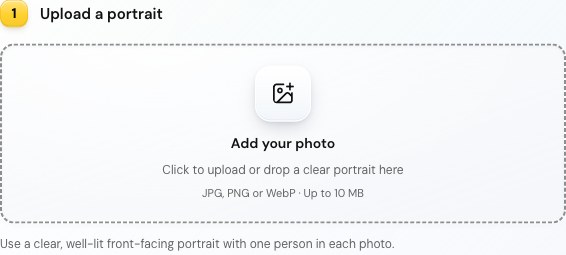
The actual studio upload panel, captured on October 31, 2026. Selecting a file is a preparation step; this screenshot does not show a generated result.
Which photo should you choose?
Choose the photo that preserves recognizable facial detail, even if another photo has a more dramatic background. The model has to animate the person across frames; a filter that hides skin texture or an object covering the mouth removes useful input information.
Compare candidates using these checks:
- Face: eyes open, mouth visible and head facing roughly toward the camera. Avoid a strong side profile for your first attempt.
- Light: the face is readable on both sides. A bright window behind the subject can leave the features too dark.
- Space: leave room around the head, shoulders and visible hands. A crop touching the chin or fingertips is hard to adjust later.
- Clothing: choose the look you want to guide the performer. AI can reinterpret details, so do not depend on exact text or logos surviving.
A selfie is not automatically better than an upper-body portrait. If the selfie is soft, heavily filtered or tightly cropped, the clearer upper-body photo is the more useful input. These are preparation guidelines, not a promise of a particular likeness.
How do you fix common photo problems?
Fix the source problem before changing the video resolution. A larger output file cannot supply real facial detail missing from the input.
| What you see | What to try before generation |
|---|---|
| Face looks small in a full-body photo | Crop closer while preserving enough pixels and space around the subject. |
| Sunglasses, a hand or a mask covers the face | Choose another photo with visible features. |
| Photo is dark or strongly backlit | Use an evenly lit original; avoid brightening a heavily compressed screenshot. |
| Upload fails because of the format | Export a still JPG or PNG and select that file. |
| Several people appear in the photo | Use a separate portrait or crop to one consenting subject. |
How do you check the photo in the studio?
Open the Bulin 47 AI studio, select your photo and inspect the preview before choosing a style. Replace the file if it is sideways, too tightly cropped or simply the wrong image.
The photo preview checks your input. It does not predict the generated video's face, motion or audio. Choose the style, open the quality and duration settings, then review the credit quote before submitting. The one-photo video walkthrough covers the rest of that process.
Photo FAQ
Do I need to crop my photo to 9:16?
No. The input photo and the output video have separate dimensions. Keep a usable portrait, then select the output aspect ratio in the studio. See the video size and framing guide before choosing a crop.
Will a better photo guarantee the same face in every frame?
No. Clear input helps define the subject, but AI can still change facial details, gestures and clothing. Review the complete result before sharing it.
Can I use a friend's photo?
Use it only with permission to use the photo and depict that friend in an AI video. Public availability is not consent. Read the Terms of Service and Privacy Policy before submitting someone else's image.